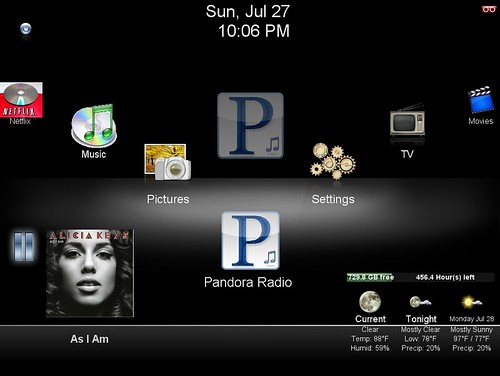
Saturday, September 5, 2009


Well, as you recall from yesterday’s blog, our hero (Mr. Sister) has just become the self-proclaimed greatest Husband and Father ever! Things were looking up and I haven’t even set up the program (and remember, I’ve not confirmed that the Ebay capture card works). What could go wrong?? I’ve bested the video capture problem, I slayed the dreaded hard drive problem! I’m on cloud 9!
So, triumphantly, I download the documentation (a 287 page guide on how to set up and configure SageTV) and start setting up the program. Change the firewall settings on my server and my router, check. Establish SageTV as a service, check. Now, the steps start to get more complex. On the service setup screen, it asked for the user name and password for the account with Administrative privileges. Well, my default signon HAS administrative privileges – use that! Enter password – I did not set up a password for my default signon! Password NOT ENTERED! Please re-enter your password! WHAT? I don’t HAVE a password… Password NOT ENTERED! Please re-enter your password! Oh, now, this is GREAT! I have to set up an Administrative account with a Password, just to install this service?!?! Some programmer is probably snickering in the background (more likely, this was a test script error!). The setup continues, “Do you want to set up Placeshifter?” What? Ok, Use UPnP? Ok, I know what UPnP is, but some of the Weekend Warrior hacks may not (stands for Universal Plug and Play – on the router, not through Windows which also has UPnP)! Where is your decoder? WHAT??? Now, even I don’t know what is a decoder (The manual describes it as follows:

MPEG2 Video Decoder Filter
A pop-up menu lists all the available video decoders, which are used to decode the MPEG2-
formatted video data. The list of decoders depends on the MPEG-2 decoders that are installed on
your PC related to your video card, DVD player and TV tuner/Capture card. Select the video
decoder that you would like SageTV to use for MPEG-2 video playback.
Note: If you are using the Sigma Designs Xcard as your video decoder, select it from the list and
set the Video Renderer to default. Also confirm that the Audio Renderer and MPEG2 Audio
Decoder Filter are set to default as well.


) Ok, I have multiple decoders installed! Which one is the best? I’ll pass on this, maybe it will default correctly. I ended up passing on a lot of selections because they just didn’t make sense.
Next was configuring the source. Each TV receiver had to be configured separately. Matching the source up with the cable channels from the provider, but guess what? They didn’t have a configuration for our area! So, I filled out a support request which went unanswered. I posted the question to the forum, which also went unanswered. So, I configured them manually.
Okay, remember that board I purchased from Ebay? Out of two standard input, I could only get 1 configured (down to two TV cable inputs).
Now comes the moment of truth! My end-game is now within reach! It is time to start the program for the first time! And… Stay tuned for tomorrow’s episode entitled:
Do you find “Java Heaps” in Star Bucks?

Thursday, September 3, 2009

When it rains, it pours!

Thanks for coming back! This is Mr. Sister again continuing on with my Media Center journey. Below is a diagram of what our media center will look like:


Ok, so I have everything and ready to set this puppy up! Install capture card. Uh, it doesn’t fit!!! Looking again at the directions in the box, in small mouse print, it says this is a PCI-e card, not compatible with PCI slots. This is BAD! I’ve made this commitment but I can’t even capture the TV input! Well, not being too discouraged, I signed on to the very active SageTV forum. Posted the question and got a suggestion to get an Avery card from Ebay (it uses the PCI slot and records 2 shows at a time – but doesn’t do HD). Oh well, I picked up the only 1 available on Ebay for a few bucks (with massive shipping charges!). And, I bought another PCI card that captures only 1 TV program at a time (bringing me down to 3 shows at a time). Well, I am pretty much at parity with what I have today, but ALL TVs can access the same stored shows so that was a plus! So, my Ebay purchase arrived in the mail and I see this big note on the capture card that states, this was taken from a working machine. There are no guarantees that it will work. What??? I paid that money to have a shot at something not working? I could have kept the other cards and be GUARANTEED they would not work! Oh well, let’s install to see if everything functions. I download the latest drivers and install the card, but without a program to use the card, I don’t know if it actually works.


Not happy with my downgrade, but trudging ahead, I run into my next obstacle (boy this steeple chase is getting rough). My hard drive was only 30 gigs. I need at least 500 gigs to be able to store SOME of the many shows the son, formerly known as Munchie Boy (from now on he wants to be called Awesome Dude! No ego problem there!) will be recording. So, I get on to my favorite online store and order a 1 TB hard drive (that is 1 terabyte! 1,000 gigabytes!). After installing the drive (I won’t even get into the changes in hard drive standards from IDE to SATA! Luckily, my server accepted both drives – but at the old speed of 1.5 gps as opposed to 3.0 gps) and everything is running, I’m feeling much better!

So, days are progressing. I’m telling my family what this thing can do (according to the manual and some forum postings). It can watch Youtube videos, It can watch and navigate Netflix on demand, during CES, SageTV announced that they were going to access Hulu (Score!!!). At this time, I’m getting more excited about the prospects. The HTM (Happy Tech Meter) was blazing! There’s more! I can watch ripped DVDs, we can access and listen to radio. We can even access the programs and live TV on the internet! Heck the only thing it didn’t claim to do was cure cancer (which was in Beta!)! Even more, it can automatically skip commercials on regular TV! My family was happy and I’m thinking that I’m the greatest Husband and Father EVER!

Stay tuned for tomorrows episode … entitled “Cloud 9” or “I’m falling and I can’t get up!”

Wednesday, September 2, 2009

Media Center? We don't need no stinking media center!

Hi ho 5thsister readers! This is Mr. Sister again. While 5th is out of town partying and carousing, I have agreed to push forward to keep you entertained with a new multi-day blog post. So here goes…

I come to you today, not with joyous technological conquest, but with angst and woes that have shaken my hi-tech foundation. Yes, I admit it! Not all of my technology coups end up successful. But, I get ahead of myself.

About 6 months ago, I developed a plan on how to use technology to reduce my monthly expenses while keeping the same or better quality of life. First getting a Roku player, then a faster internet pipe into the house, and installing Ooma as our home phone (see earlier posts). I felt like I could do no wrong. Everything was working

according to plan! Only one more thing to do and my plan would be complete. I wanted to build a Personal Video Recorder (PVR), something similar to a Tivo or a DVR. This would allow me to stop throwing money at the Satellite Company and just get regular basic cable. With this PVR, we could record, playback, live TV, plus with internet connection combine some of the entertainment aspects on the net with basic extended TV. Sounds simple enough! Right? Well, if your definition of simple is one obstacle after another, then – Right!

To give you an idea of where I’m heading, I’ll use this analogy… 5th sis has said that some of you are runners, so Imagine, you have shown up for a 5k that you wanted to run and now, you are lining up at the starting line. You look over to your fellow runners to trade light-hearted banters when the person to your right asks you “how long have you been doing steeplechases?” (by the way, a steeplechase is a race with obstacle that the runner must traverse). You immediately retort “I don’t do steeplechases!” Then he replies “what are you doing here?”. Slowly, you look up to see that you are not in a 5k road race, you have signed up for a 5k steeple chase and then the horn sounds and everyone lurches ahead. You think to yourself, “what did I get myself into?”. Well, that’s how I feel.

So, back to the story of my PVR… doing my due-diligence, I found that there are a number of possible PVR solutions (MythTV, BeyondTV, SageTV, and the list goes on http://en.wikipedia.org/wiki/Personal_Video_Recorder). Well, after reading many blogs and signing on to a lot of forums, I found that most people were moving over to SageTV. It had a very high WAF! (WAF is a term I learned in the blogs, it stands for Wife Acceptance Factor). So, I investigated exactly what I need to get one of these PVRs up and running. So, my checklist was:

· Windows XP Server – (easy, I can build/salvage/buy one for under $100 – they mention that you don’t need too much power 1.5 Ghz processor, 128M of RAM memory – 256M recommended )

· TV capture card (I saw that I could purchase a card that can record and watch two shows at a time! I’ll get 2 of them)

· SageTV Software ($79, pricey, but it had a high WAF!)

· Extender box for each TV, (that was the real expense - $179 per set. Now it is starting to seem like a hobby instead of an easy cheap set up).

· Some way to hook up the extenders to our LAN (I was able to use SageTV’s beta software and connect it via a couple of USB 11N dongles (see my MagicJack blog entry to find out how many laughs were generated by using the term dongle!)


Stay tuned for tomorrows episode (think of Rocky and Bullwinkle) …

entitled

“Singing in the Rain” or “When it rains, it pours!”


Tuesday, September 1, 2009

Reunion Bound


Class of 1979


Today I embark upon a road trip to attend my 30th high school reunion. I will be gone for a week. I doubt if I will have any time to blog, but one never knows. Maybe I can convince Mr. Sister to do another "blog takeover" in my absence, that is, if you all can stand it. I'm sure he's itching to tell you all about the "media center" he is designing (which will mean the end to TV viewing as we know it). Meanwhile, I will travel down memory lane to the days of Disco and Farrah Fawcett hair. Take care my friends.


LinkWithin

Related Posts with Thumbnails